
Setting up staff roles
Define the crew job titles used across your team — and how they differ from access roles.
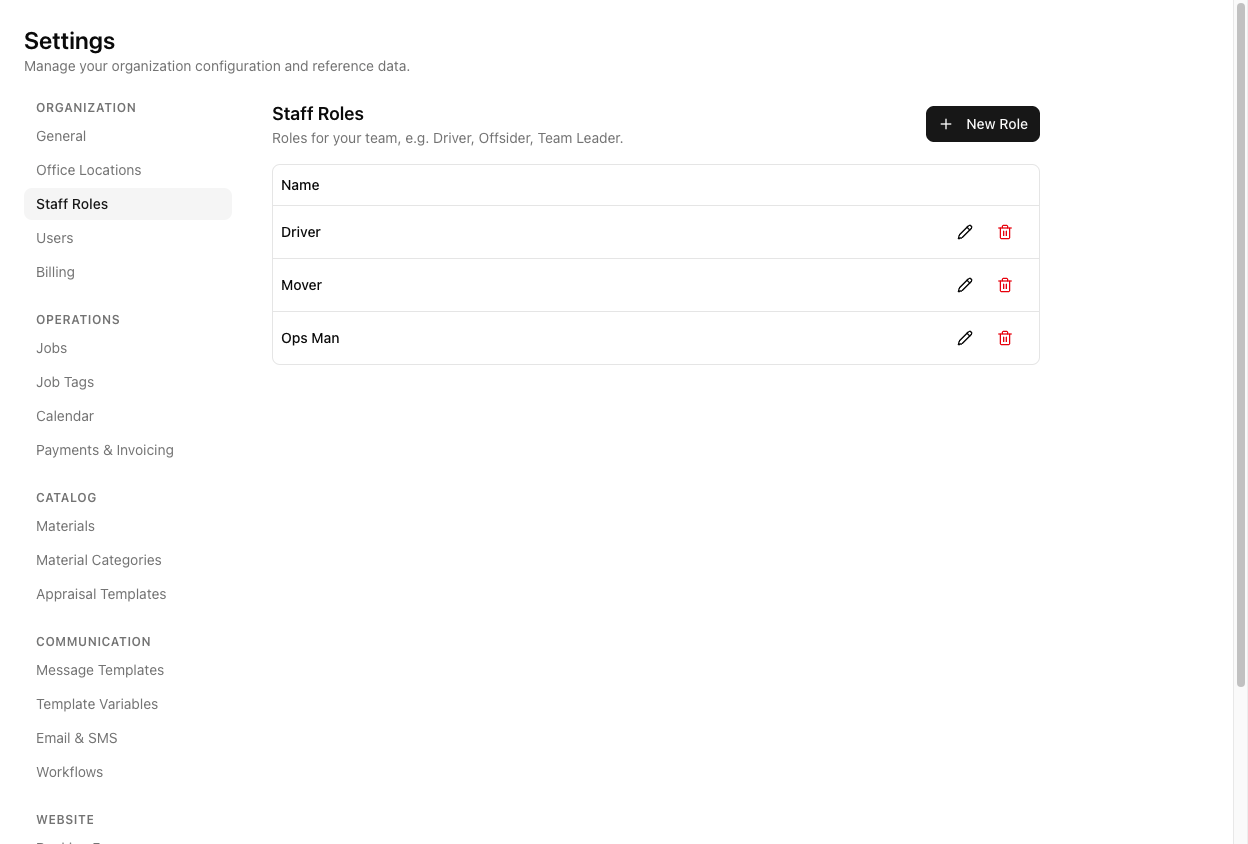
A staff role is a crew job title — Driver, Offsider, Team Leader. You assign one to each staff member, and it shows when you build a job's crew. Manage them at Settings > Staff Roles.
Staff roles are not user roles. These job titles are for scheduling. The access roles that control what someone can do in the app — Admin, Office Admin, Operator, Driver, User — are a completely separate list under Settings > Users.
The overlap of the word "Driver" in both lists is the trap. A person's staff role (crew title) and user role (app access) are set in different places and answer different questions.
Creating a role
Click New Role, give it a name, and save. A new account seeds a few examples like Driver, Mover, and Ops Man — rename or add to suit how your crew is organised.
Roles can be edited and deleted. Deleting one that is in use is warned against, so you do not silently strip a title off active staff.
How they get used
Once a staff member has a role, it appears beside their name when you add them to a job's crew — so the person building a crew can see at a glance who is a driver and who is an offsider.
A staff role (this list) is different again from a crew member's role on a specific job. On a job you can set someone's per-job role to Leader, Driver, or Offsider regardless of their standing staff title — a Mover can lead a particular job. See assigning crew to a job.
Tutorial: set up roles for a small crew
You run drivers, offsiders, and one dispatcher.
Go to Settings > Staff Roles. You will see the seeded examples.
If your team says "offsider" and the list says "Mover", rename it. Roles should read the way your crew actually talks — the point is that a dispatcher recognises them instantly.
Click New Role, name it Dispatcher (or whatever you call the office coordinator), and save.
Creating a Dispatcher staff role does not give anyone dispatcher powers in the app. If your dispatcher needs to actually run bookings, that is a user role — make them an Operator under Settings > Users. This list is only titles.
Go to Staff, open each person, and set their Role to the matching title. Now they carry it into every crew assignment.
If you stop using a role, delete it — but heed the warning if it is still assigned to someone. Reassign those staff first, so nobody is left holding a title that no longer exists.