
Unified Inbox
Every customer message in one place
Email and SMS in a single inbox, with every inbound message kept — matched or not. Assign each one to a job in a click, reply from your own mailbox, and never lose an enquiry to a busy Monday again.
Why Unified Inbox
The advantages that make the difference for your moving business.
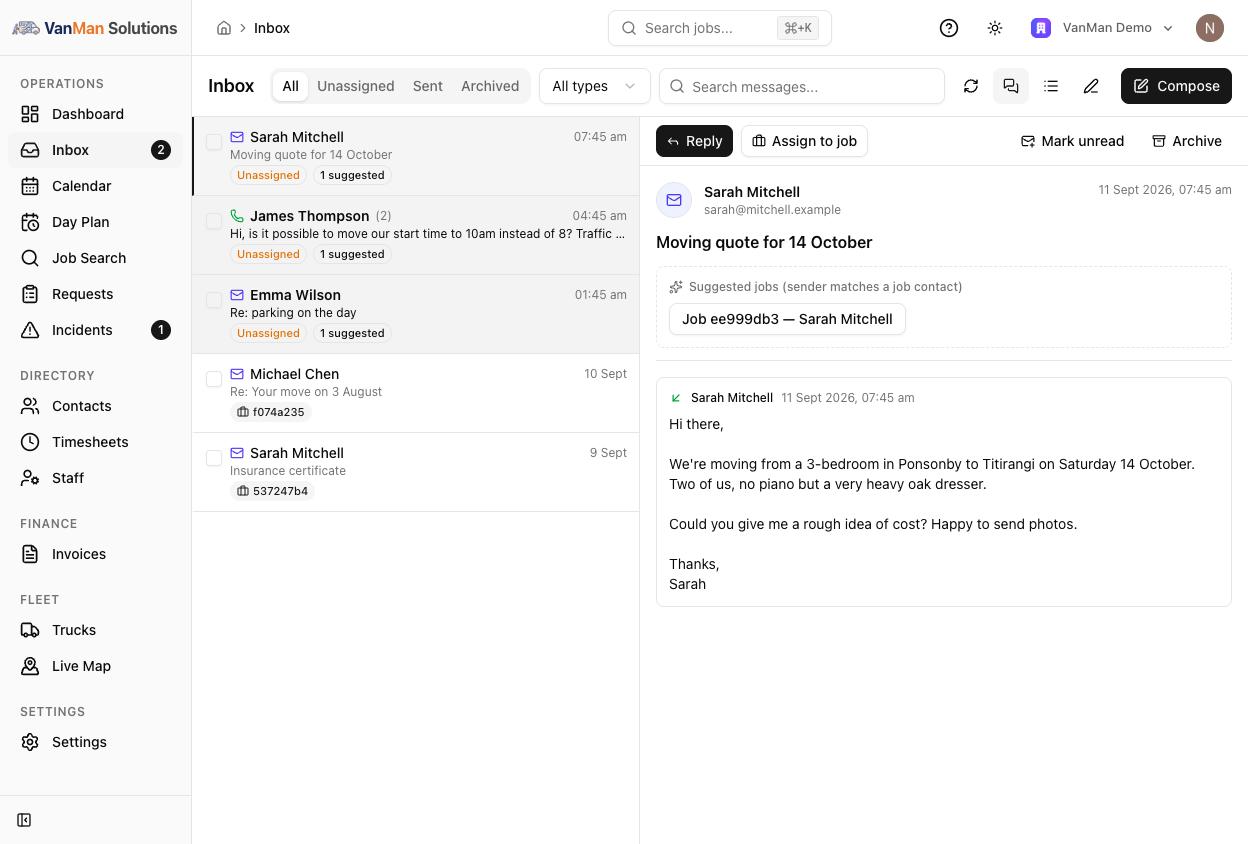
One list, two channels, one queue
Email and SMS side by side in a two-pane list you can read threaded or flat. Filter by channel, search across everything, and work the Unassigned tab until it is empty — a state you can actually reach before lunch. The sidebar carries a live unread count, so you know there is something waiting from anywhere in the app.
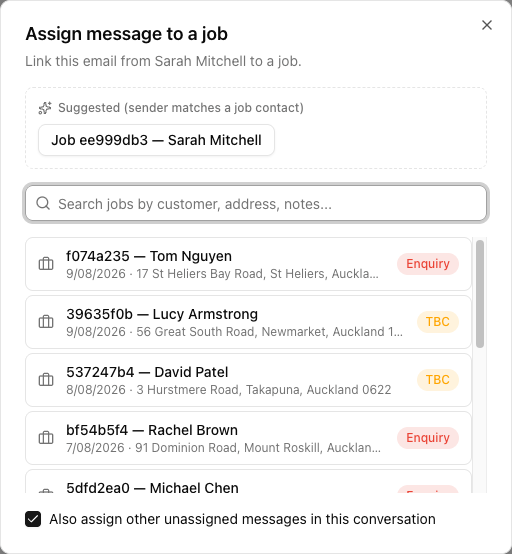
Assign to a job in one click
Suggested jobs appear at the top of the assign dialog, matched on who sent the message. Pick one and the message files onto that job's Messages tab, its attachments become job attachments, and the whole email thread comes with it. The job's side panel sits right there in the message pane, so you can change a status or a truck without leaving the message that asked you to.
Reply without switching apps
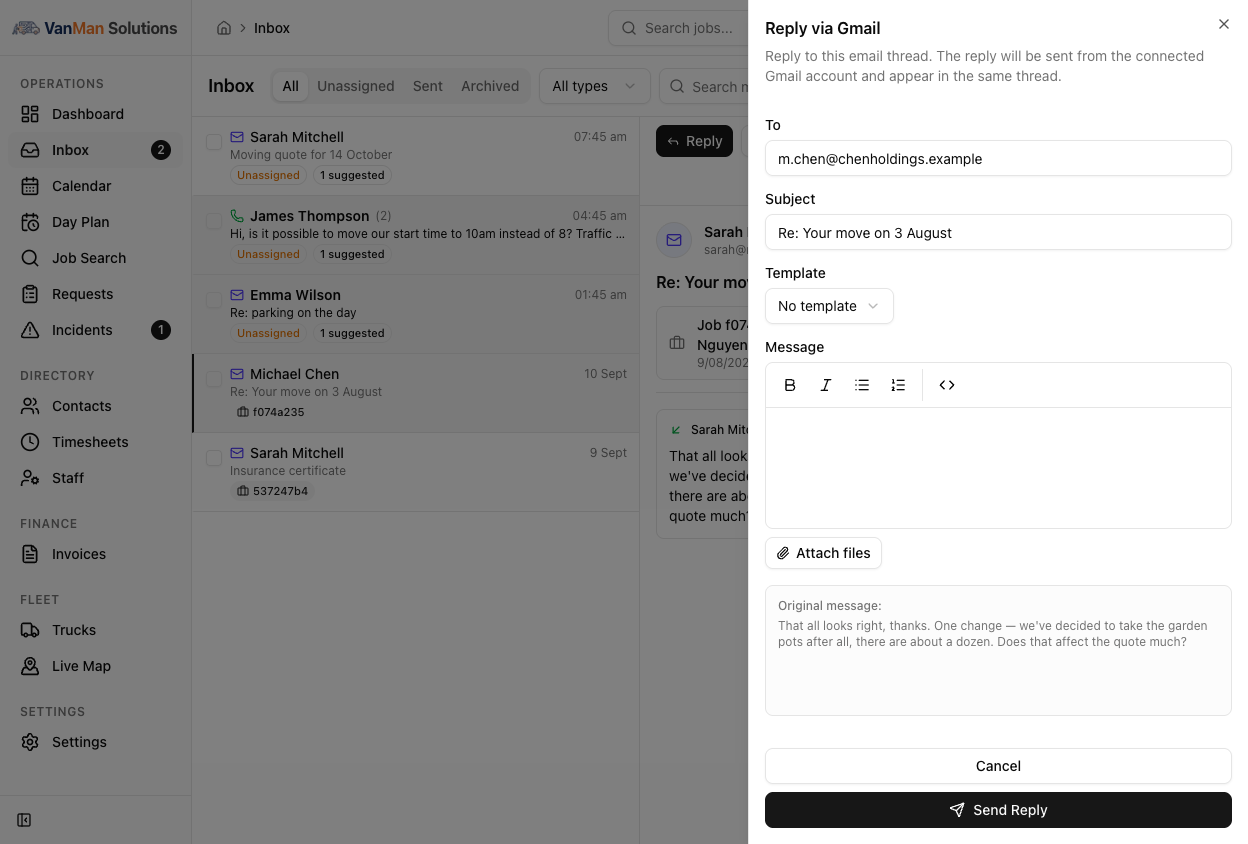
Reply to email or SMS from the same screen. Apply a shared or personal message template and it renders with that job's data — customer name, dates, addresses already filled in. Attach photos and PDFs, append your signature, and watch the Sent tab for delivery status so a bounced quote never goes unnoticed.
It keeps itself in sync
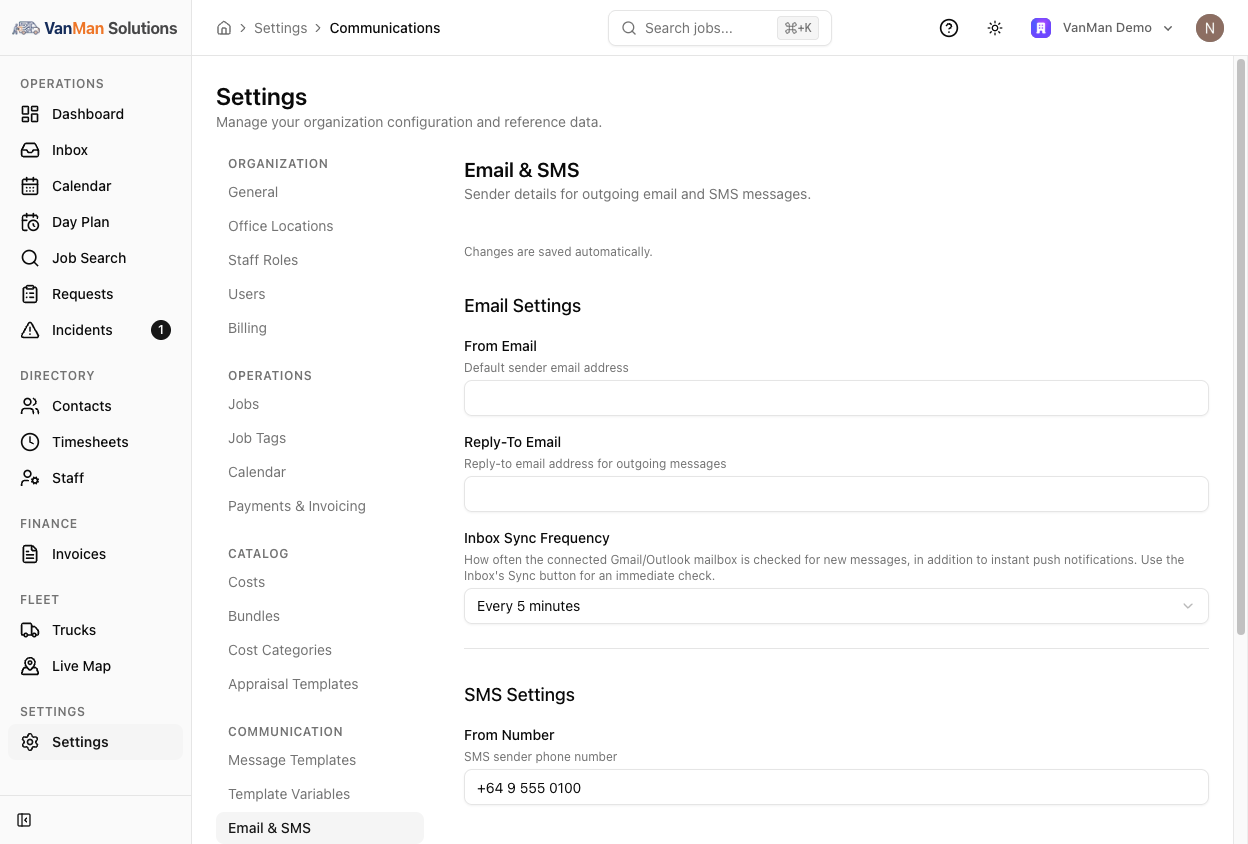
Gmail and Outlook push new mail to VanMan the moment it arrives. Because those subscriptions can lapse quietly, VanMan also polls on a schedule you choose — and repairs the subscription when it finds it has expired. There is a Sync button in the header for when you are waiting on one specific reply.
The whole conversation, attached to the work
The Inbox sits on top of your email integration and SMS. Every message you assign becomes part of the job's record — alongside its notes, photos, costs and activity trail.
You might also like
See Unified Inbox in action
Start your free trial and explore every feature with your own data.