
Workflow Automation
Automate your business rules
Build visual workflows that run automatically when jobs change, bookings come in, or invoices are created. Drag and drop triggers, conditions, and actions — no coding required.
Why Workflow Automation
The advantages that make the difference for your moving business.
A workflow builder built for moving companies
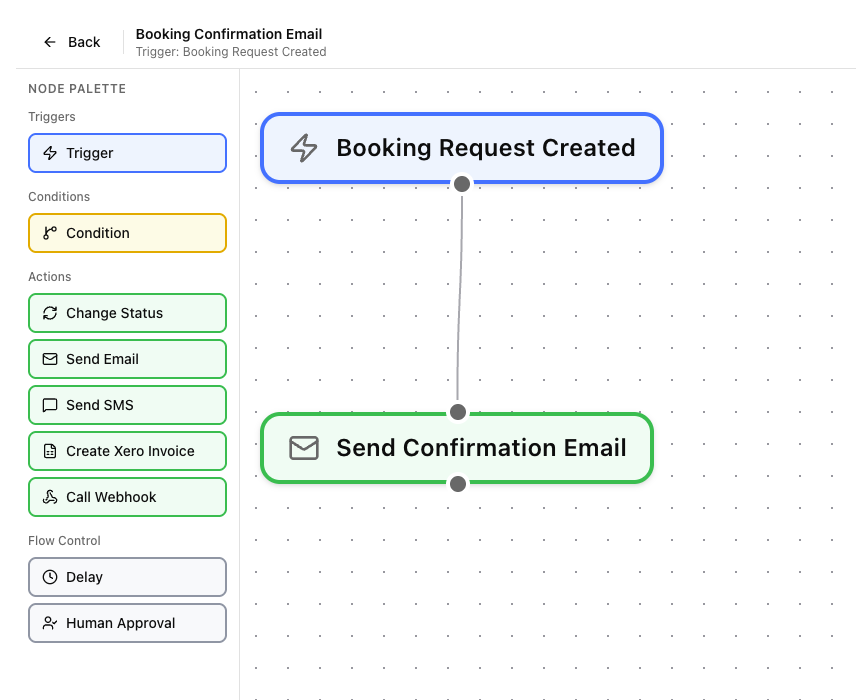
The visual editor lets you design workflows with five node types: Triggers (what starts the workflow), Conditions (branching logic), Actions (what happens), Delays (wait before continuing), and Human Approvals (pause for manual sign-off). Connect them however you need.
Actions that save you hours
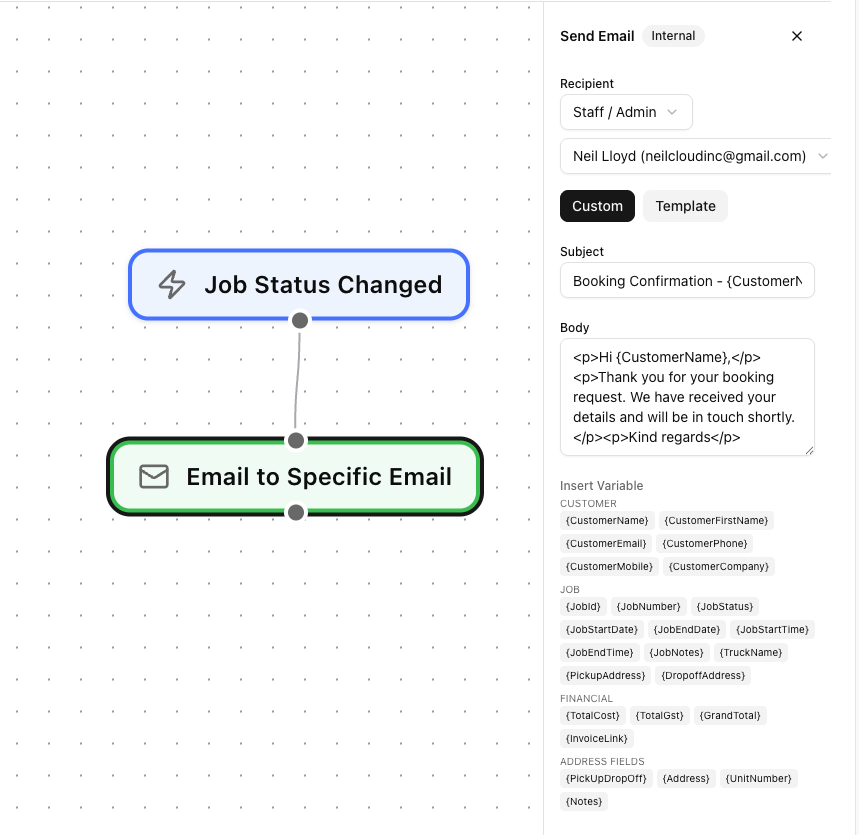
Each action node can send an SMS, send an email, change a job status, create a Xero invoice, or call an external webhook. Chain multiple actions together — for example, when a job is marked complete, automatically send a thank-you SMS, create the invoice, and sync it to Xero.
Test, monitor, and debug
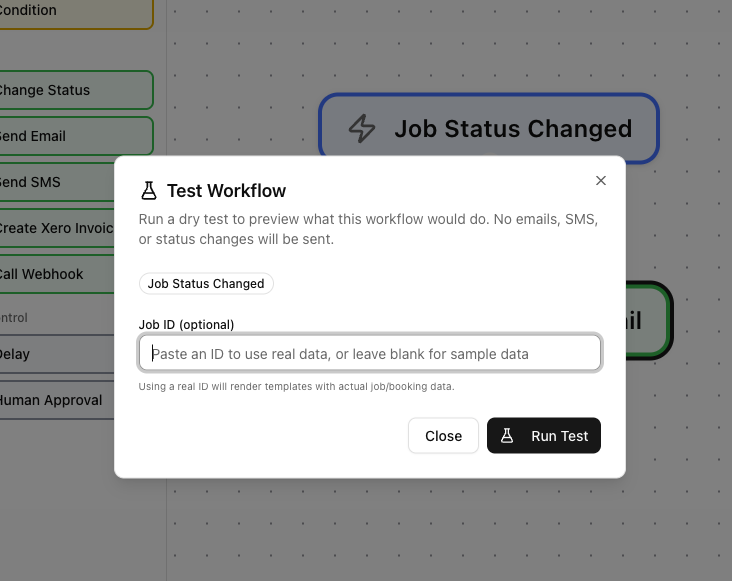
Dry-run your workflows before activating them to make sure they do what you expect. Once live, the execution log shows every step — which nodes fired, what data was used, and whether each step succeeded or failed.
Automation across your whole business
Workflows connect to jobs, bookings, communications, and invoicing — automating the repetitive tasks that slow you down.
You might also like
See Workflow Automation in action
Start your free trial and explore every feature with your own data.