
Timesheets
Turn crew hours into payroll — and catch what you under-billed
Weekly staff time tracking that records, approves and exports crew hours, links every entry to the job it was worked on, and reconciles the hours you billed against the hours your crews actually worked.
Why Timesheets
The advantages that make the difference for your moving business.
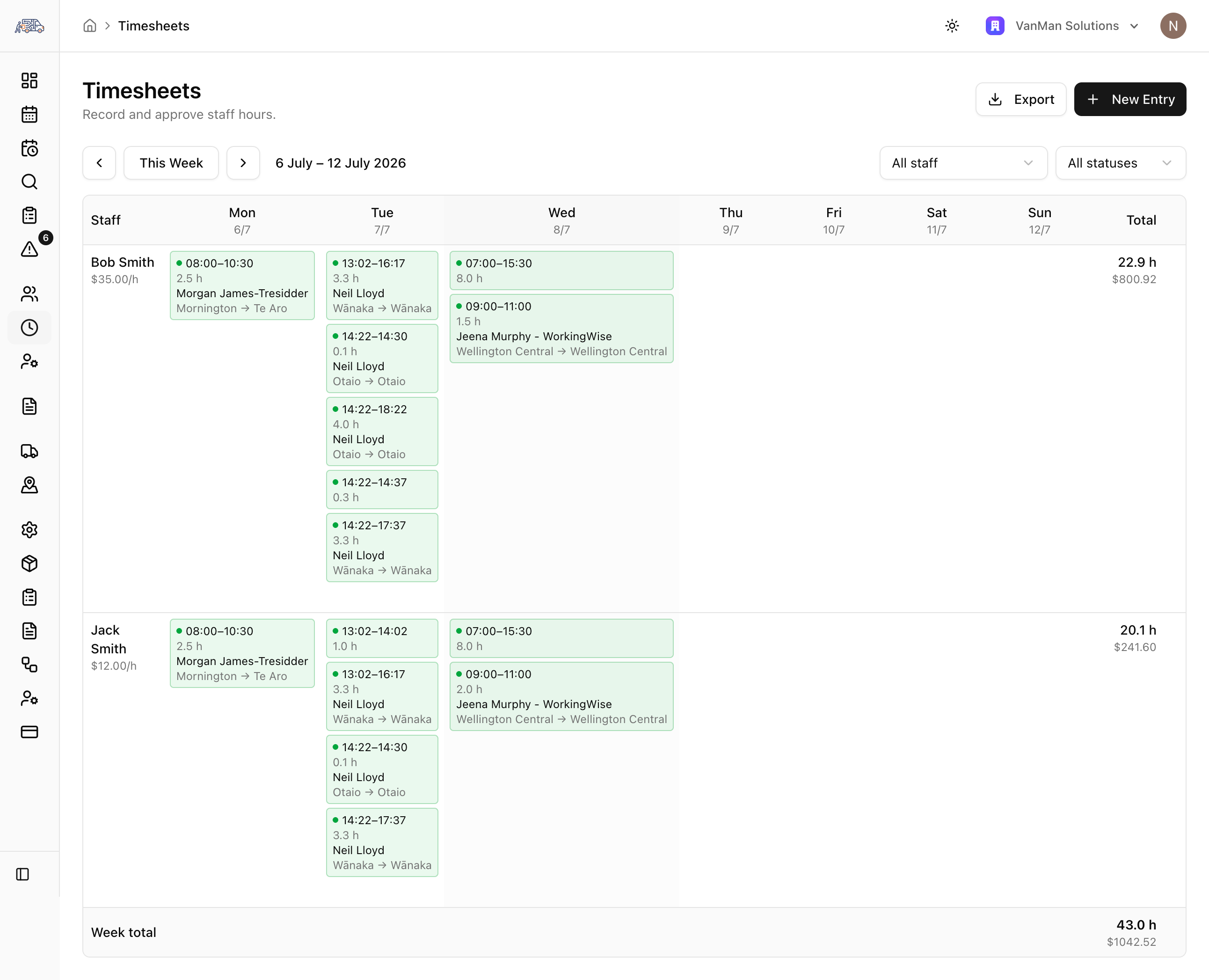
A clear weekly picture per crew member
Each staff member gets a seven-day grid showing every shift — start and finish times, hours, and calculated pay. Entries are labelled with the job they belong to, including the customer name and the pickup-to-drop-off route, so hours always have context.
Approve once, and pay stays put
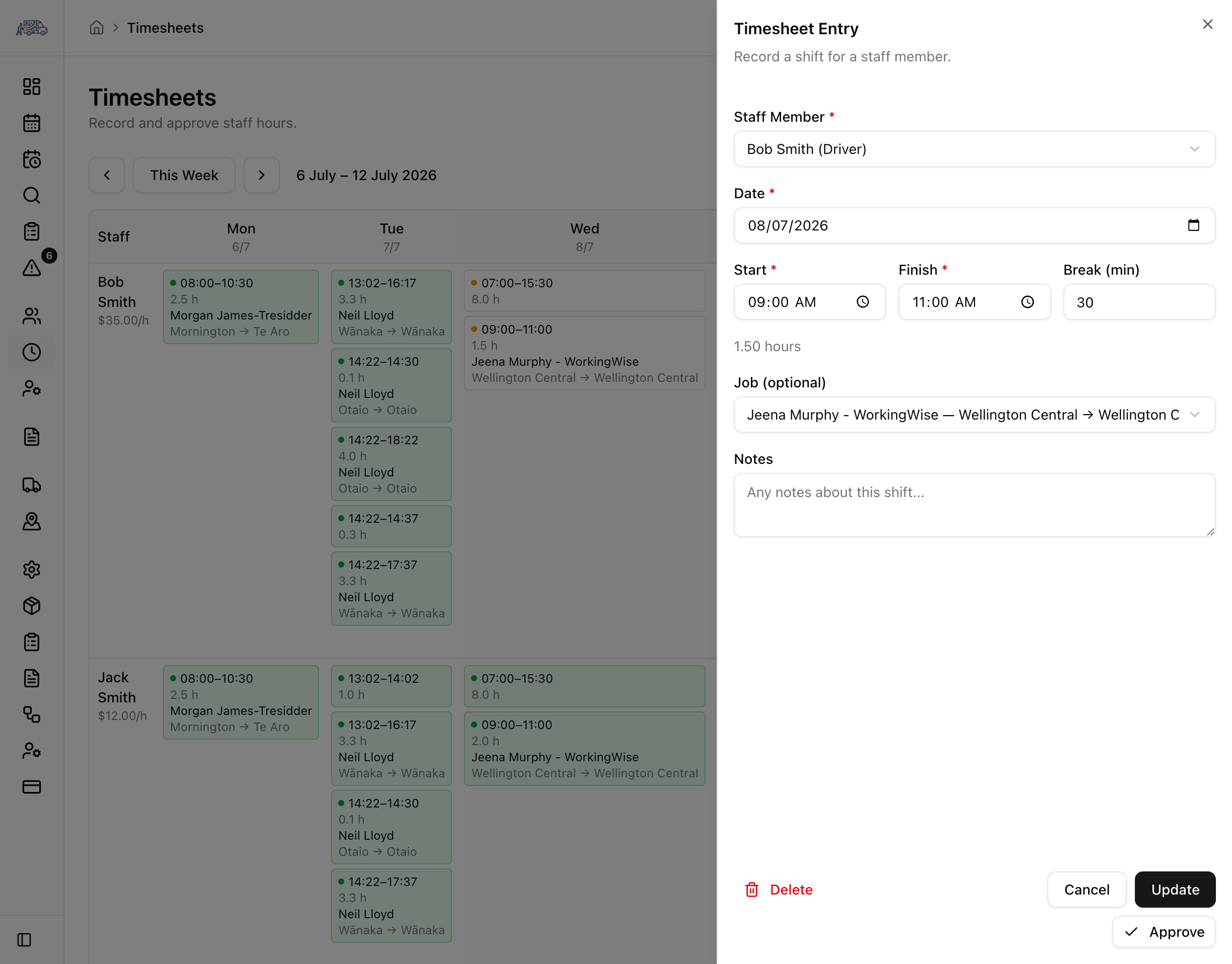
Draft entries are reviewed and approved per week. The moment a manager approves, the staff member's hourly rate is snapshotted onto the entry and it's locked from further edits — so a rate change next month never rewrites last month's approved pay. View, edit and approve permissions keep the right people in control.
Payroll-ready export and labour reconciliation
Export a payroll-ready CSV with staff, dates, start/finish, breaks, hours, rate, pay, status, customer, route and notes — UTF-8 encoded so Excel opens it cleanly. And because time-based materials carry a crew 'FTE' value, VanMan computes billed man-minutes per job and flags where labour was under-billed against the hours actually worked.
Connected to staff, jobs and materials
Timesheets pull hourly rates from staff profiles, link to the jobs your crews worked, and use crew/FTE data on materials to reconcile billed labour against actual hours.
You might also like
See Timesheets in action
Start your free trial and explore every feature with your own data.