
Managing your subscription and billing
Where billing lives in VanMan, and how it is handled through the Stripe billing portal.
Billing lives at Settings > Billing, under the Organization group. Only Admins can see it — Office Admins and every other role cannot.
What you will see
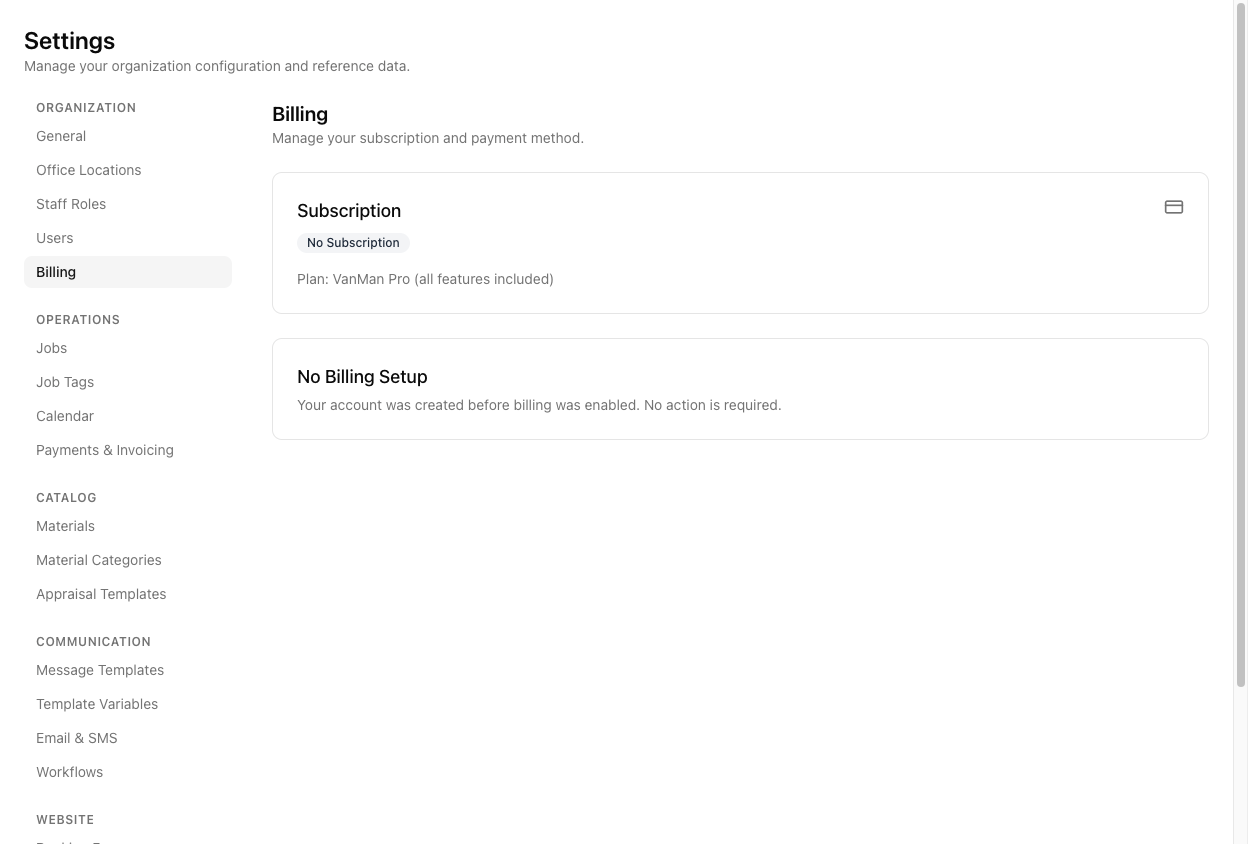
The page shows your Subscription status and your Plan, which is VanMan Pro (all features included) — there is a single plan, not tiers.
Many accounts show a "No Billing Setup" card reading "Your account was created before billing was enabled. No action is required." If that is what you see, that is the whole story — your access is not affected, and there is nothing to set up, cancel, or pay. Do not go looking for a plan chooser or a payment form; for your account there isn't one.
When billing is set up
If your account has billing enabled, the page shows a single button that hands you off to Stripe's hosted billing portal — labelled Manage Billing (or Add Payment Method during a trial).
VanMan does not have its own billing screens. Invoices, payment methods, and cancellation all live in Stripe's portal, not in VanMan. The Billing page is a doorway to Stripe, not a billing UI of its own — so the buttons and forms you use for those tasks are Stripe's, and this help centre cannot show them.
There is no monthly-versus-annual toggle and no in-app plan switching. VanMan is a single plan with all features included.
Tutorial: check your billing status
Go to Settings > Billing. If you cannot see it in the settings nav, you are not an Admin — billing is Admin-only, so ask whoever holds that role.
It shows your status and Plan: VanMan Pro (all features included). One plan, everything included.
You are done. That message means your account predates billing being switched on, your access is unaffected, and there is nothing to do. There is no button because there is nothing to manage.
Click it. You leave VanMan for Stripe's secure billing portal, where the actual invoices, card details, and plan controls live. Everything financial happens there, not in VanMan.
Changes made in Stripe's portal apply to your account. Return to VanMan by closing the portal tab or using its back-to-site link.
Team access is separate from billing. Adding, removing, and re-roling people happens at Settings > Users, not here — see inviting team members.