
Managing incoming enquiries
Review booking requests, move them through the pipeline, and follow up — from the Requests page.
Every booking form submission arrives at Requests — the sidebar label is Requests, the page heading is Booking Requests.
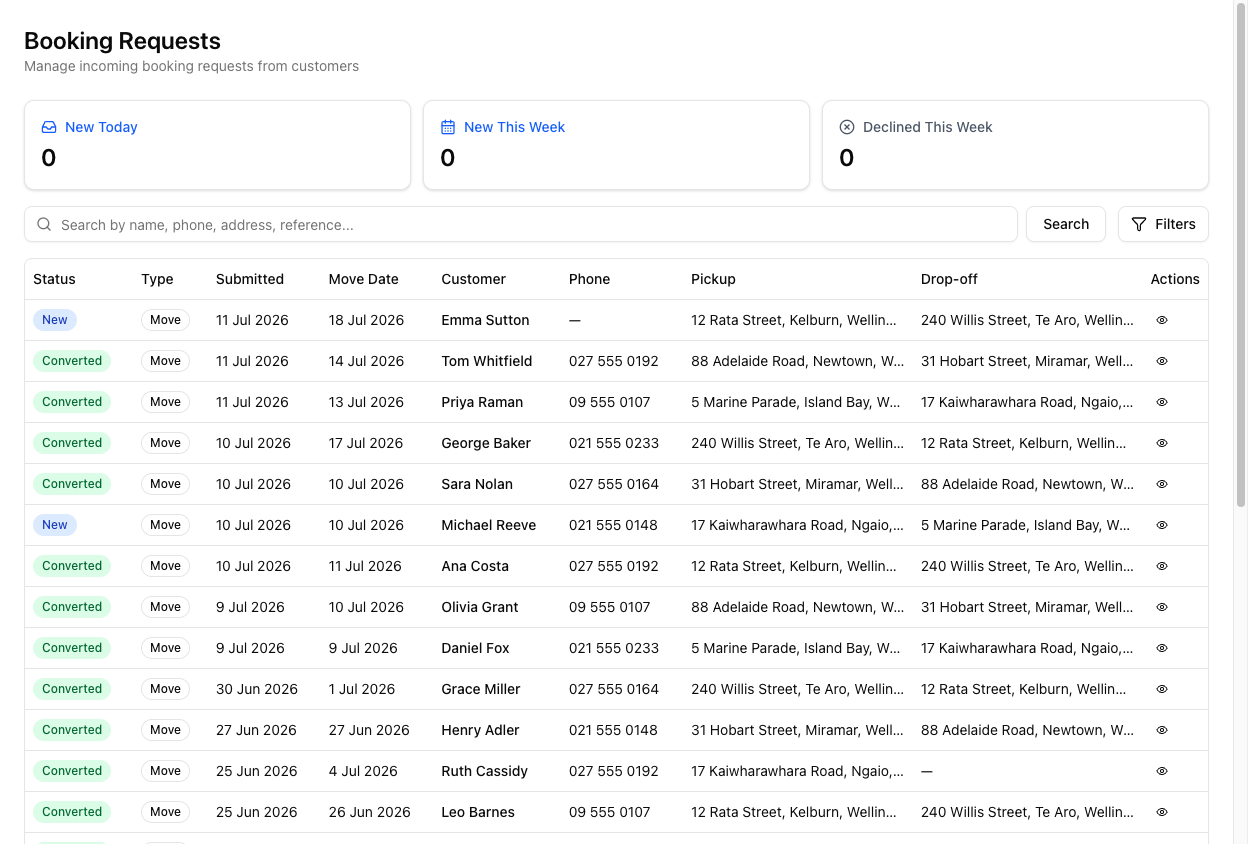
The page
At the top are three stat tiles — New Today, New This Week, Declined This Week — which double as filters. Below is a search box (Search by name, phone, address, reference...), a Filters button, and the table: Status, Type, Submitted, Move Date, Customer, Phone, Pickup, Drop-off, Actions.
Newest requests are at the top. Declined requests are hidden by default.
Filters
Click Filters to reveal them: a Date Range (Today / This Week / This Month — filtering by submitted date, not move date), Status, Request Type, and a Show declined requests toggle.
Working a request
Click a request's action to open its detail sheet — a panel from the right, not a separate page.
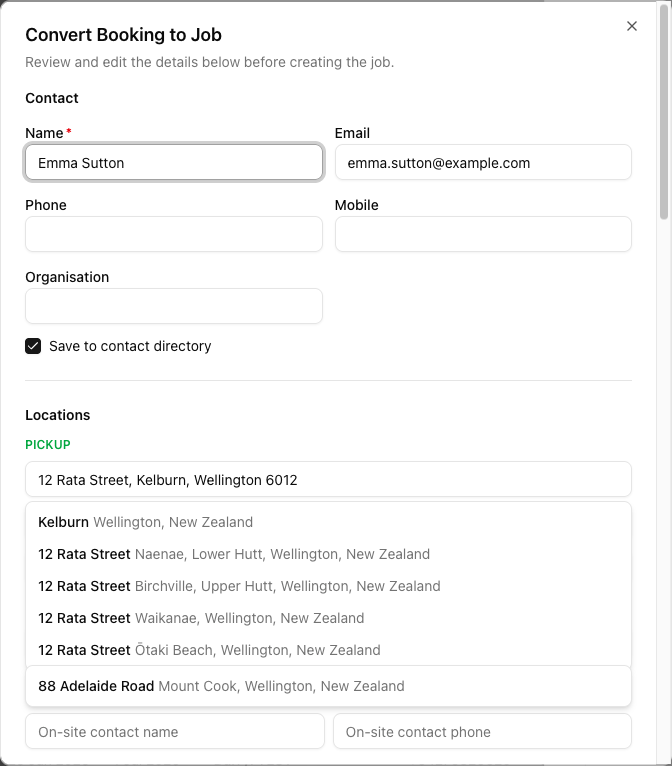
The sheet holds the customer info, schedule, locations, any captured inventory, and notes — and the actions: Mark as contacted, Mark as quoted, Send Message, Convert to Job, Decline. There are also inline Call and Email buttons.
You can Send Message to a customer straight from the request, before it is a job — SMS or email. And a customer's SMS reply to an enquiry threads back onto the request, so you can hold a conversation pre-conversion.
No email notification
VanMan does not email you when a new enquiry arrives. The default signal is the in-app count — the Requests badge in the sidebar and the New Today / New This Week tiles. If you want an email on every new booking, that is a workflow on the Booking Request Created trigger, which you set up yourself.
So "check for new enquiries" is a habit, not something that pings you — unless you build the workflow.
Tutorial: clear this morning's new enquiries
Three came in overnight and you want them all moving.
On Requests, click the New Today tile. It filters the list to today's arrivals — exactly the ones you have not touched.
Click into a request. The detail sheet slides in with everything the customer submitted — schedule, both addresses, what they are moving.
A booking form can carry a lot: settlement involved, waiting on keys, storage needed, an item list, even AI-captured photos. Read it first so your call is informed, not a cold "so what are you moving?".
Use Send Message for a quick acknowledgement, or the inline Call / Email to reach them directly. You do not need to convert it to a job to talk to them.
Once you have reached out, click Mark as contacted. Now the list reflects reality — anyone else opening it can see this one is in hand.
There was no email telling you these arrived — you came looking, prompted by the sidebar badge. Build that check into your morning. If that is too fragile for your team, set up a Booking Request Created workflow to email you on each one.
A request that is clearly not for you — out of area, spam — click Decline. It drops out of the default view (declined are hidden) but is kept, so you have a record.