
Keeping your mailbox in sync
How new email reaches the Inbox — push notifications, the polling schedule, and the manual Sync button.
Email reaches the Inbox two ways, and they back each other up.
Push notifications
When your Gmail or Outlook mailbox is connected, the provider tells VanMan the moment new mail arrives. This is the fast path — usually seconds.
Push subscriptions expire on a schedule set by Google and Microsoft, and occasionally lapse early. When that happens, nothing announces it: mail just quietly stops arriving. That's what the second path is for.
Polling
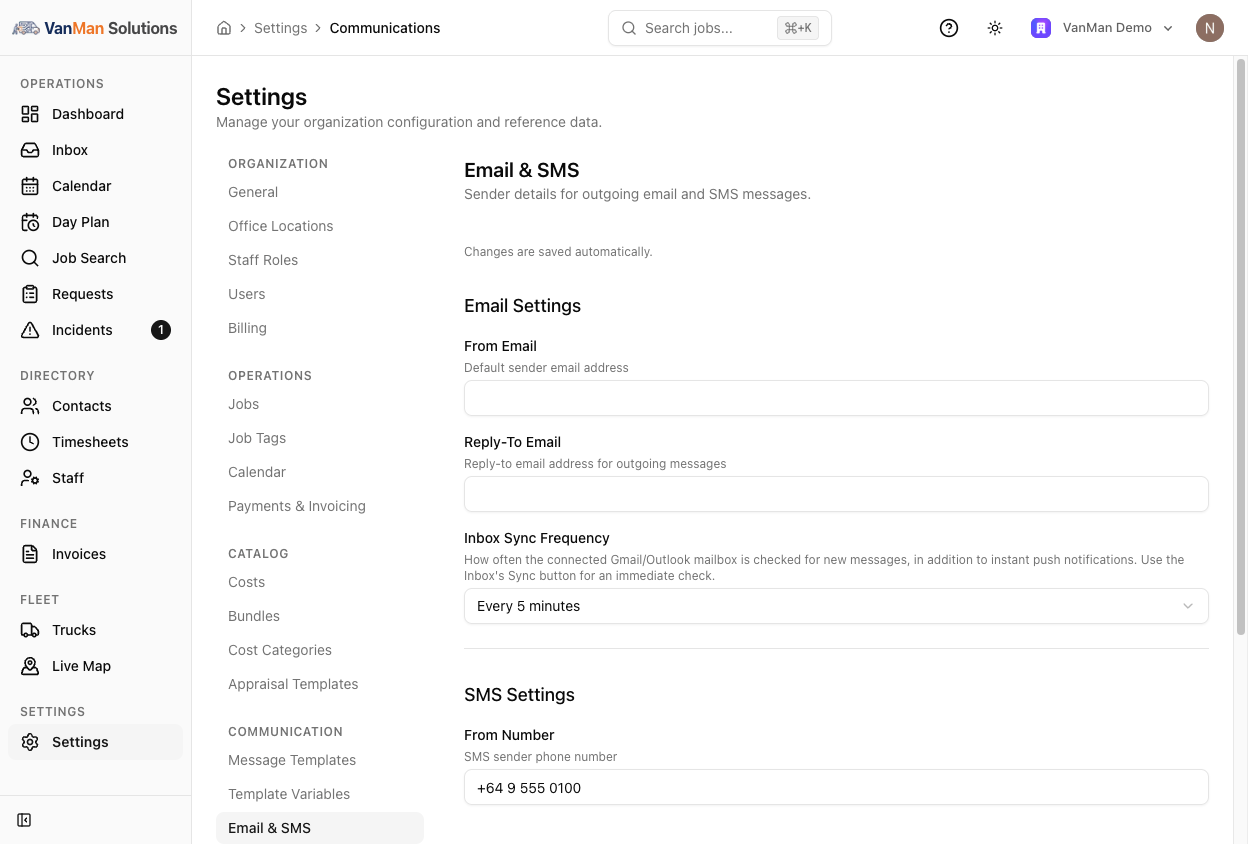
VanMan also checks the mailbox on a schedule of your choosing, independently of push. Set it at Settings > Email & SMS under Inbox Sync Frequency:
| Option | Use it when | | --- | --- | | Every minute | You want the Inbox as close to live as it gets | | Every 2 / 5 / 10 minutes | Normal office use — 5 minutes is the default | | Every 15 / 30 minutes / hour | Low volume, or you'd rather not hammer the mailbox | | Push notifications only (no polling) | You trust push and want no scheduled checks at all |
Push notifications only removes your safety net. If the subscription lapses, nothing else is checking, and you will only find out when a customer asks why you ignored them. Unless you have a reason, leave polling on.
Polling also repairs itself: if it finds the push subscription has lapsed, it recreates it.
The Sync button
The circular-arrow button in the Inbox header runs a check immediately. Use it when you are waiting on a specific reply and don't want to sit through the next scheduled poll.
What it tells you:
- Mailbox synced — done, any new messages are in the list.
- Synced with some errors — it partly worked; check the connection in Settings.
- No mailbox connected — connect Gmail or Outlook at Settings > Integrations.
- Mailbox sync failed — the connection needs attention. Go to Settings → Integrations and use Reconnect.
Outbound mail
Sending is separate from syncing. Email you send from VanMan goes out through the connected mailbox itself, so it lands in your provider's Sent items and threads correctly for the customer. VanMan records the provider's message and thread ids, which is how a sync doesn't re-import your own sent mail as if it were new.
Tutorial: mail has stopped arriving
Hit the Sync button in the Inbox header. If messages appear, the connection is fine and the issue was push — the poll has now caught up and repaired the subscription.
Open Settings > Integrations. If the card shows a Reconnect button, use it — do not disconnect and start over, which loses the connection's history.
At Settings > Email & SMS, look at Inbox Sync Frequency. If it is on Push notifications only, move it to Every 5 minutes — a lapsed subscription with no polling behind it is the most common cause of mail that silently stops.
Send yourself an email to the connected address from an outside account and watch the Inbox. Nothing proves the chain works like a message going all the way through it.