
Using bundles
Group items and price them together at one fixed amount — in the catalog, on an estimate, and on a job's costs.
A bundle is a set of items priced together at one fixed amount. "Packing kit — $180" instead of six lines of boxes, tape and paper that the customer has to add up themselves.
Bundles live at Settings > Bundles and can be dropped onto estimates, quotes and a job's costs.
Building a bundle
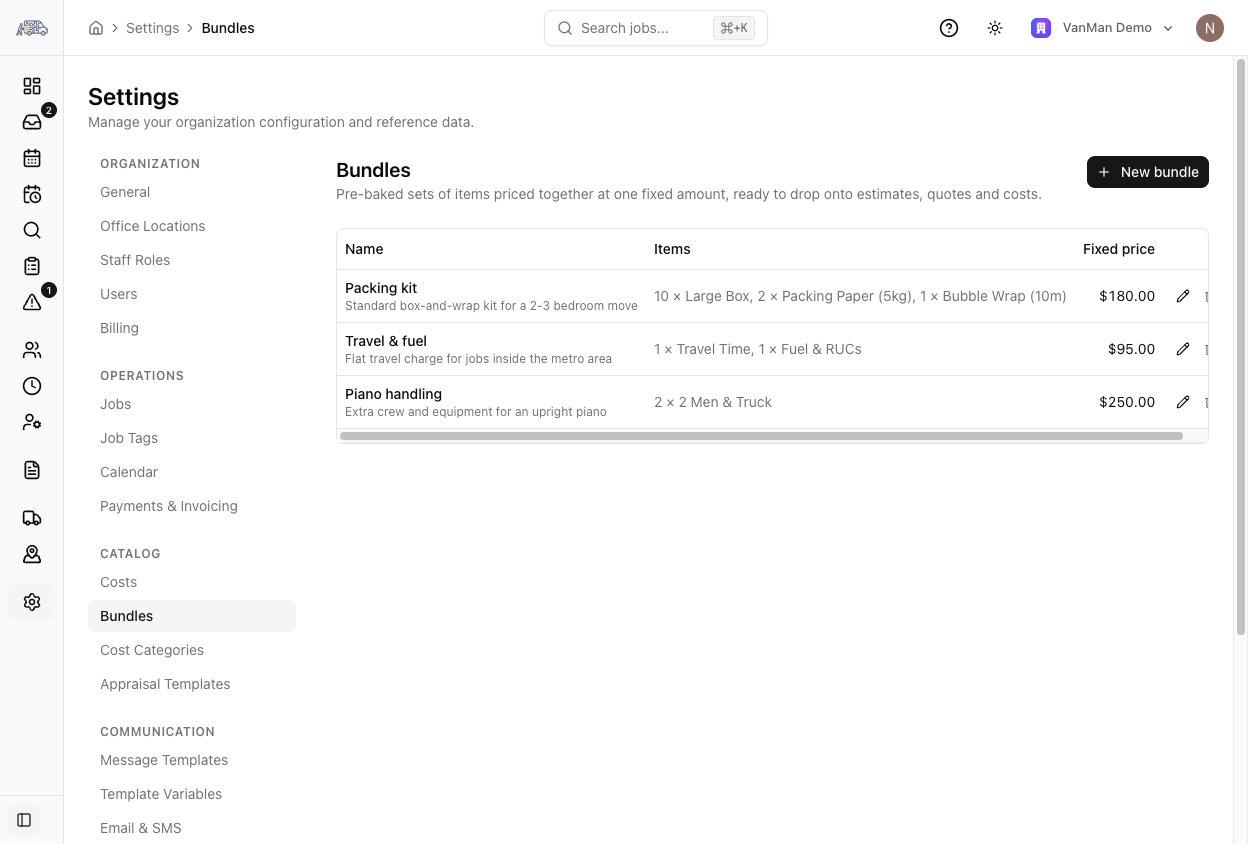
Settings > Bundles. The table shows each bundle's Name, its Items, and its Fixed price. Creating and editing need the materials permission.
Give it a Name — the name is what the customer sees on the invoice, so make it something they'd recognise: Packing kit, Travel & fuel, Piano handling. Add a description if it helps your team.
One amount for the whole bundle. This is not the sum of the items — it's what you charge. That's the point: you can put $210 of boxes in a $180 kit deliberately.
Pick items from your costs catalog with a quantity each. These are what the bundle contains; the price is set above, independent of them.
The bundle is now available on estimates and on the Costs tab of any hybrid-priced job.
Jobs take a copy. Adding a bundle to a job copies the current items and price onto that job. Editing the catalog bundle later does not rewrite jobs that already have it — history stays as it was quoted.
Bundles on a job
Bundles appear on the Costs tab when the job's contract type is Hybrid — see choosing a pricing mode.
Two ways to add one:
- From the catalog — the bundle picker next to the cost items, which drops a saved bundle in whole.
- From items already on the job — click New bundle, tick the lines that belong together, name it and set the amount. Useful when a specific job needs a one-off grouping you'd never reuse.
On the job, a bundle shows as a box with its name, the word fixed, an editable amount, and its member lines nested underneath. The item lines are visible for your own reference; the amount is what's charged.
An empty bundle won't appear on the invoice and VanMan tells you so in amber. If you delete the last item out of a bundle, either delete the bundle or put something back — otherwise you'll invoice a customer without a charge you meant to make.
Deleting a bundle from a job returns its items to their normal categories; it does not delete them.
On the invoice
A bundle invoices as one line at its fixed amount. The receipt panel on the Costs tab shows the item subtotal with incl. n bundles next to it, so you can see how much of a hybrid total is fixed-price extras.
Bundles on mobile
Crews can add catalog bundles on the tally, edit a bundle's items, name and amount, and see member lines nested under the bundle they belong to. See bundles and costs on the tally.
Tutorial: a packing kit you sell on half your jobs
Before touching VanMan, write down what a standard packing kit is for you — 10 book boxes, 6 tea chests, 2 rolls of tape, a bundle of paper. Guessing this in the dialog is how you end up with a bundle nobody trusts.
Create the bundle at Settings > Bundles and set the fixed price to what you sell it for. If that's less than the items add up to, good — that's a kit discount, and it is now consistent across every quote instead of whatever each person felt like on the day.
Put in the quantities the kit actually contains. These drive your internal costs and your stock thinking, even though they don't drive the price.
On a job priced Hybrid, open Costs, use the bundle picker, and pick the kit. One line, one price.
Preview the invoice. You should see Packing kit at your set amount — not six lines of boxes. If you see the components, the job is probably on the wrong contract type.