
Logging notes, expenses and breaks on a job
Use the delivery log quick actions to add notes and expenses, and pause the timer for breaks in VanMan.
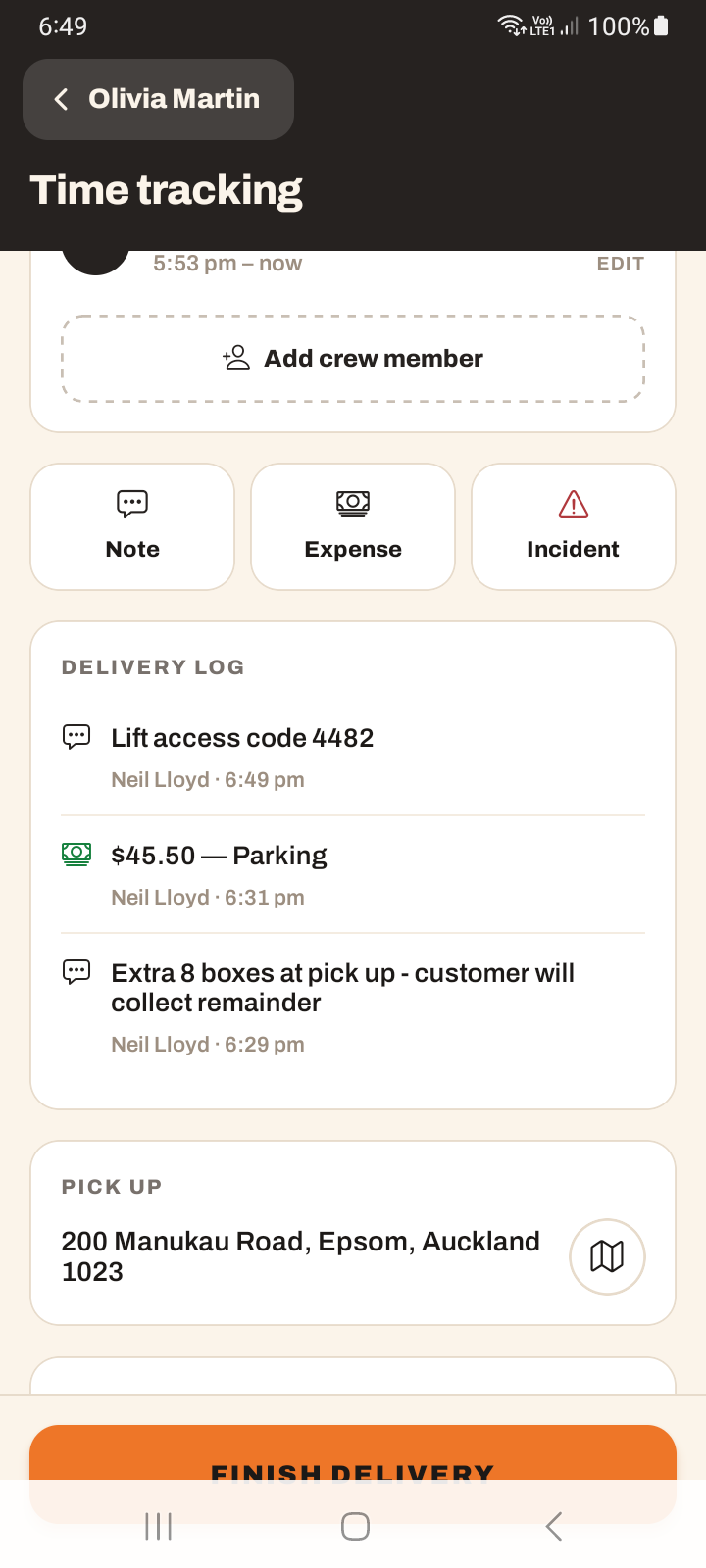
On a job's Time tracking screen there's a quick-action row with Note, Expense and Incident. Everything you add builds up a Delivery log feed, with the newest entries at the top.
Adding a note
Tap Note to add free text to the job's activity feed. Each note is stamped with the author and the time, so the office can see who added what and when.
Adding an expense
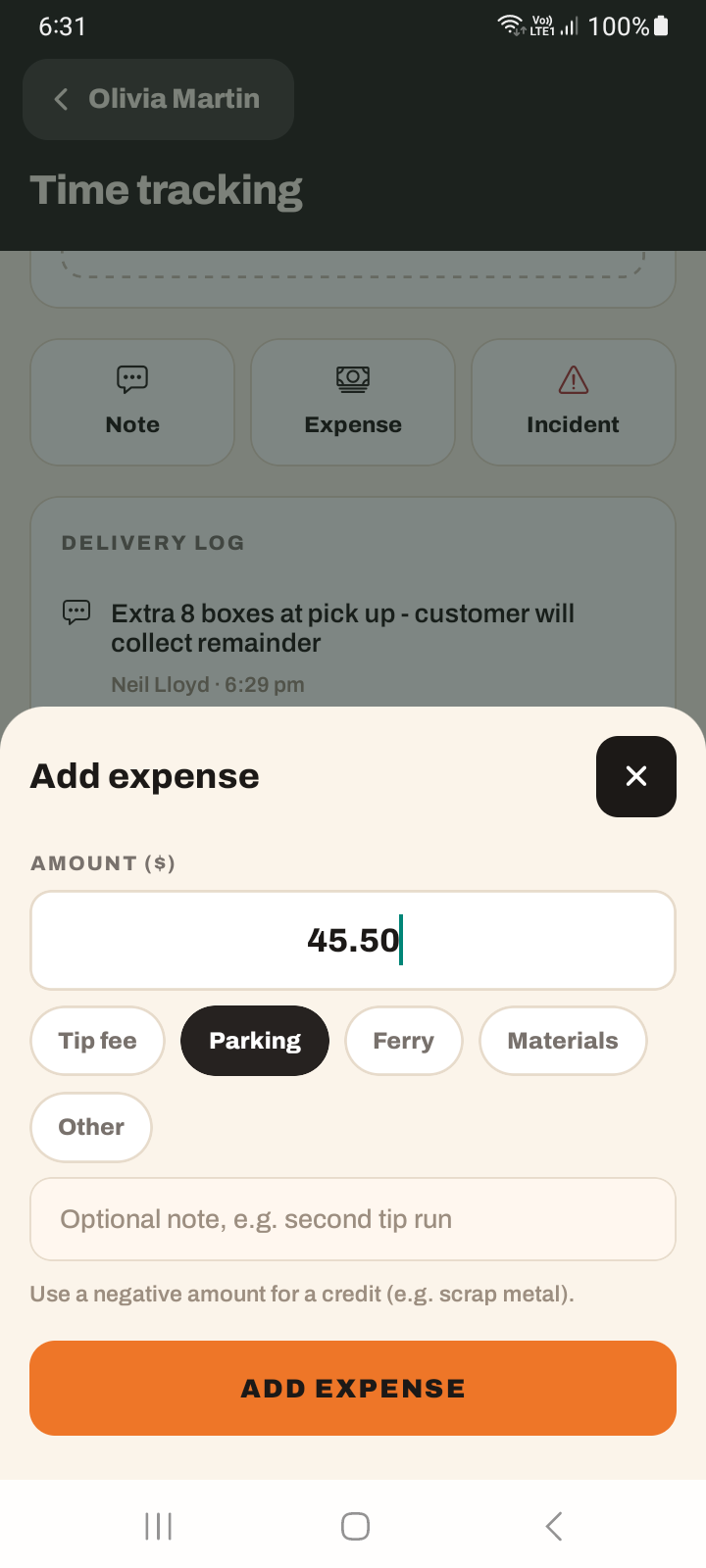
Tap Expense and enter the dollar amount.
Pick a category chip: Tip fee, Parking, Ferry, Materials or Other.
Add an optional note for context, then save.
You can enter a negative amount to record a credit rather than a cost — handy when money needs to go back the other way.
Pausing the timer for breaks
The job timer supports Pause. When you pause, you can pick a reason — Break, Waiting, Breakdown, or just pause without one. Paused time is deducted from the billable time on the job, so breaks don't get charged to the customer.
Editing the delivery log
Entries in the Delivery log render newest-first. If you add something by mistake, long-press the entry to delete it.
Notes, expenses, and pauses are among the few things you can do offline — they queue and sync when you reconnect. This is unlike starting or finishing a delivery, which need a connection. See using the app offline.
Tutorial: log a ferry cost and a break on a job
Mid-job you paid a ferry toll and stopped for lunch.
On the job's Time tracking screen, tap Expense, enter the toll amount, and pick the Ferry category. Add a note like Cook Strait — receipt in glovebox so the office can match the receipt later.
Log it the moment you pay. Expenses queue even offline, so there's no reason to trust your memory until tonight — by then you'll have forgotten the odd $6.50.
Tap pause and choose Break. The paused time comes off the billable total, so the customer isn't charged for your lunch. Choosing Break rather than "just pause" is what makes that deduction honest.
End the break and the timer picks up again. The gap is recorded and deducted.
If something happened the office should know — customer wasn't there, access was worse than quoted — tap Note and write it. It's stamped with your name and time on the Delivery log.
Logged the wrong amount? Long-press the entry in the Delivery log and delete it, then add it again. Better to correct it on the spot than leave the office to puzzle over it.
A negative expense amount records a credit — money going back the other way. Use it if you were reimbursed or over-recorded a cost.